GPT Image 2 Prompts: Ready-to-Use Templates for High-Quality AI Images
GPT Image 2 is designed for a new type of image generation: not just visuals, but images that include accurate text, structured layouts, and real-world formats. This page collects 35+ GPT Image 2 prompt templates across different use cases, including social content, tutorials, brand assets, and multi-panel compositions. Each prompt is ready to copy, edit, and reuse. On Mew Design, you can try GPT Image 2 for free. Simply start your prompt with “use gpt-image-2”, and the AI design agent will generate images that match your intent.
AI images generated using GPT Image 2 on Mew Design
36 GPT Image 2 Prompt Templates for Real-World Image Generation
Below is a curated collection of GPT Image 2 prompts designed for practical use cases. These examples show how to generate realistic UI screenshots, before-and-after comparisons, infographics, and structured visual content with clear text and layout control.
GPT Image 2 AI Prompt Framework Cheat Sheet
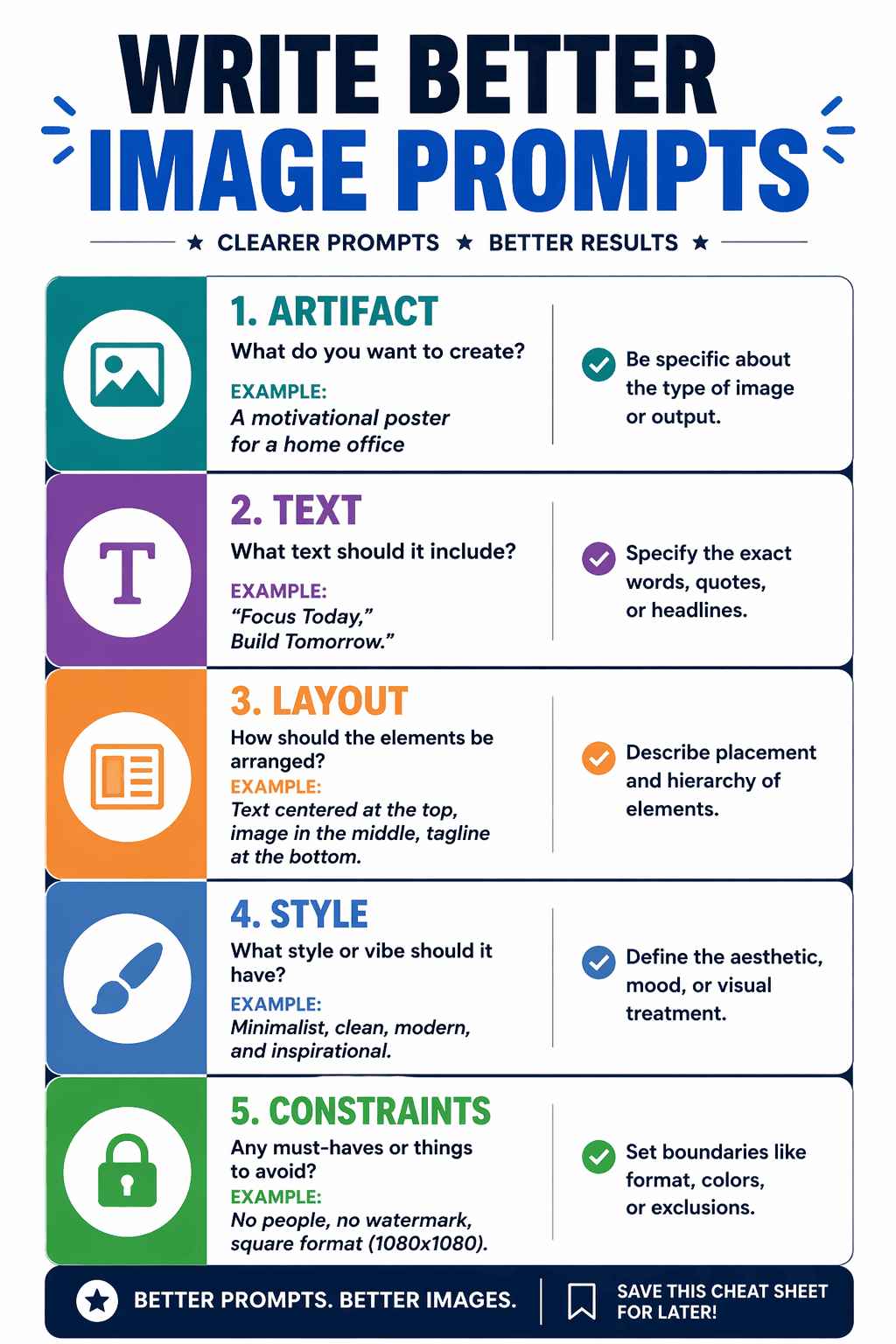
use gpt-image-2. Create a clean cheat-sheet graphic titled "WRITE BETTER IMAGE PROMPTS". Organize the design into five clearly labeled blocks: "Artifact", "Text", "Layout", "Style", and "Constraints". Add one short example under each block, strong section dividers, minimal icons, and social-friendly typography. Make it feel like a saveable creator resource. ratio 4:5
GPT Image 2 Viral Thumbnail Fixes Tutorial Card
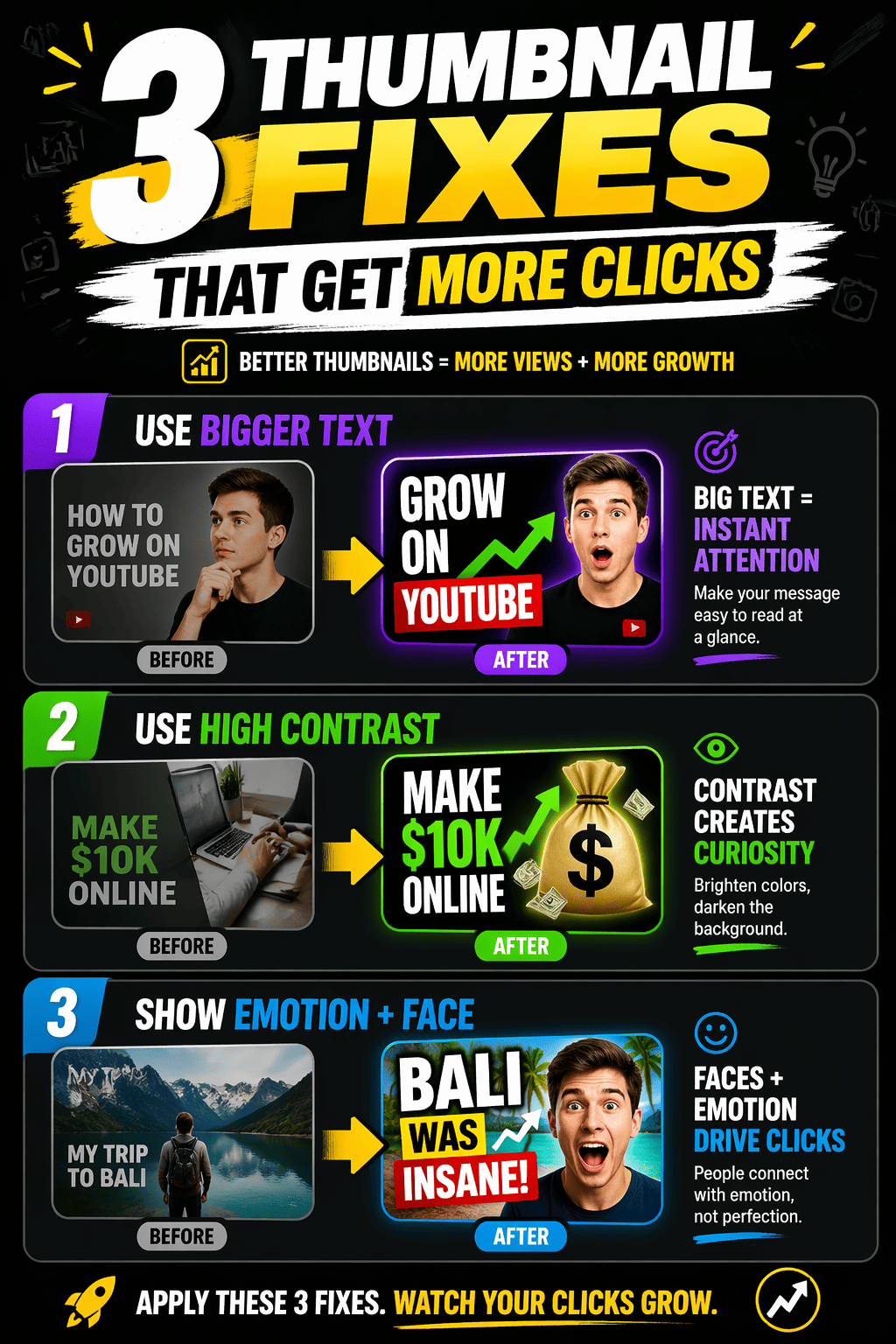
use gpt-image-2. Create a high-performing social tutorial card with the headline "3 THUMBNAIL FIXES THAT GET MORE CLICKS". Show three clearly separated tips with mini visual examples, short captions, arrows, and bold readable subheads. Use creator-economy visual language, strong contrast, and a clean mobile-first layout that looks ready for a viral carousel post. ratio 4:5
GPT Image 2 Social Media Aesthetics Trend Report
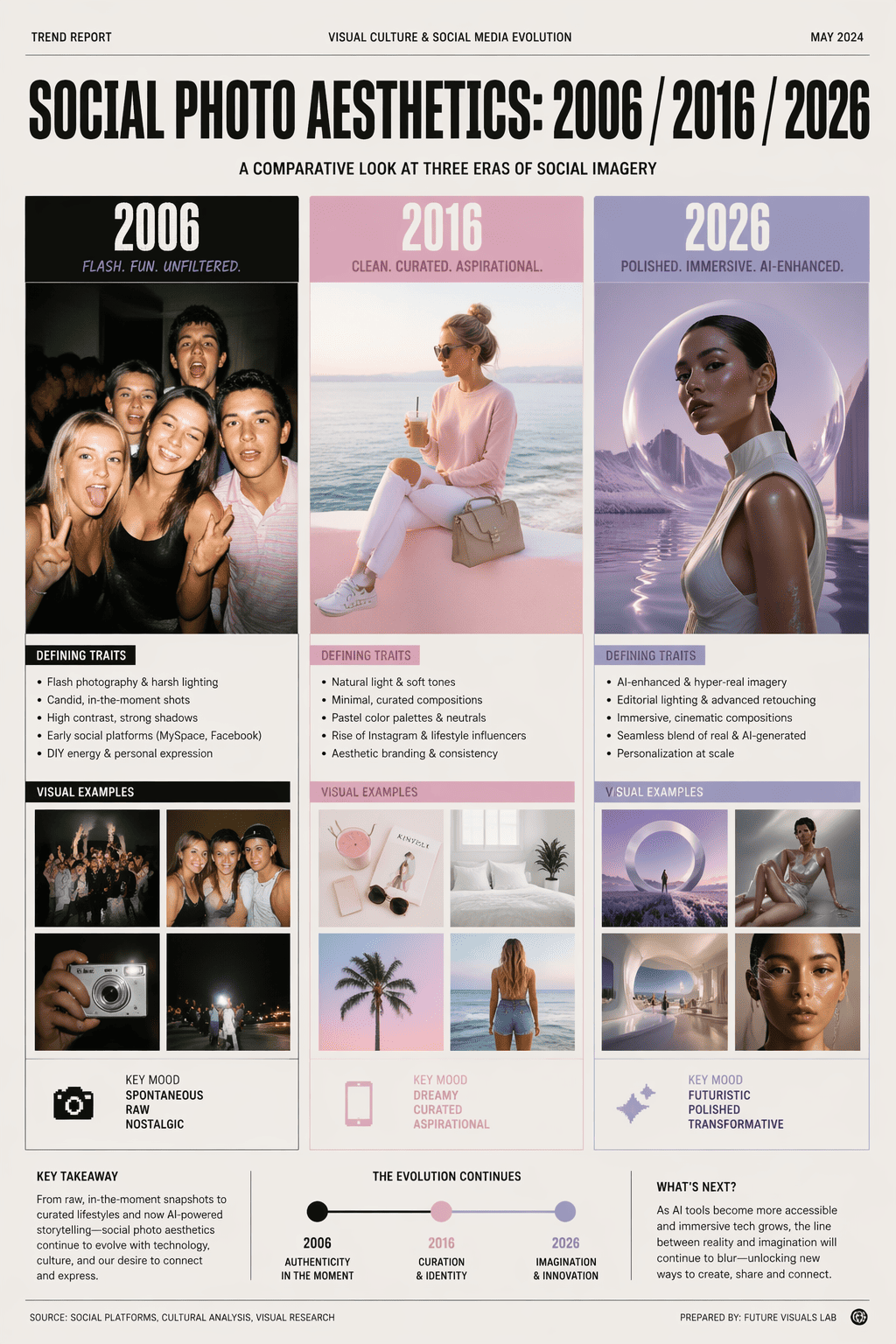
use gpt-image-2. Create a visual trend-report page comparing social media aesthetics from 2006, 2016, and 2026. The title must read "SOCIAL PHOTO AESTHETICS: 2006 / 2016 / 2026". Divide the page into three clearly labeled eras with representative visuals: flash-camera party photography for 2006, pastel influencer minimalism for 2016, and polished AI editorial styling for 2026. Present it like a research report lead page with strong comparative structure. ratio 4:5
GPT Image 2 Restaurant Service Training Poster
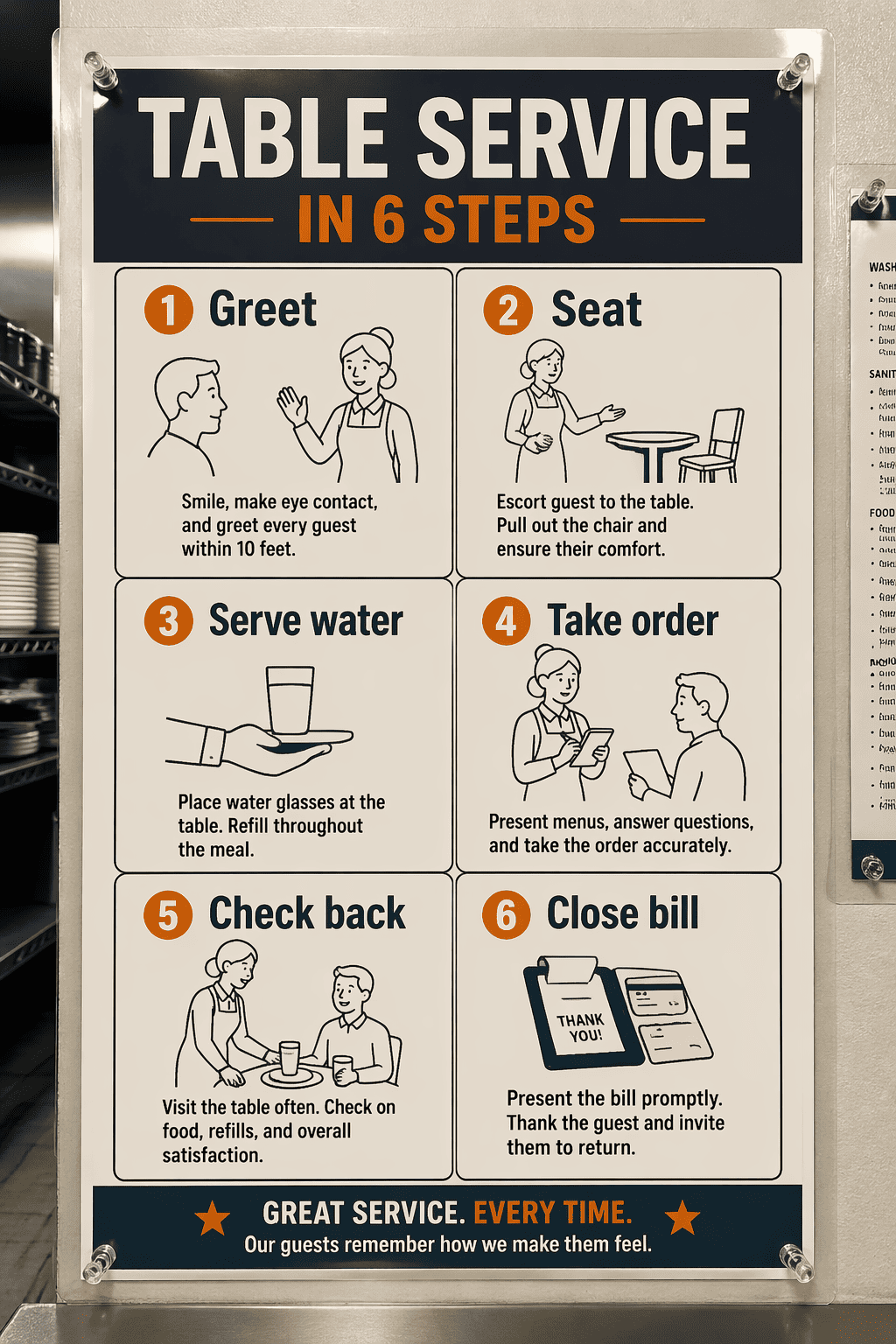
use gpt-image-2. Create a restaurant onboarding poster titled "TABLE SERVICE IN 6 STEPS". Show six clearly separated blocks labeled "Greet", "Seat", "Serve water", "Take order", "Check back", and "Close bill". Add simple line illustrations, high-contrast typography, and a realistic operations-poster look as if laminated and pinned in a prep area. ratio 3:4
GPT Image 2 AI Image Pipeline Flowchart
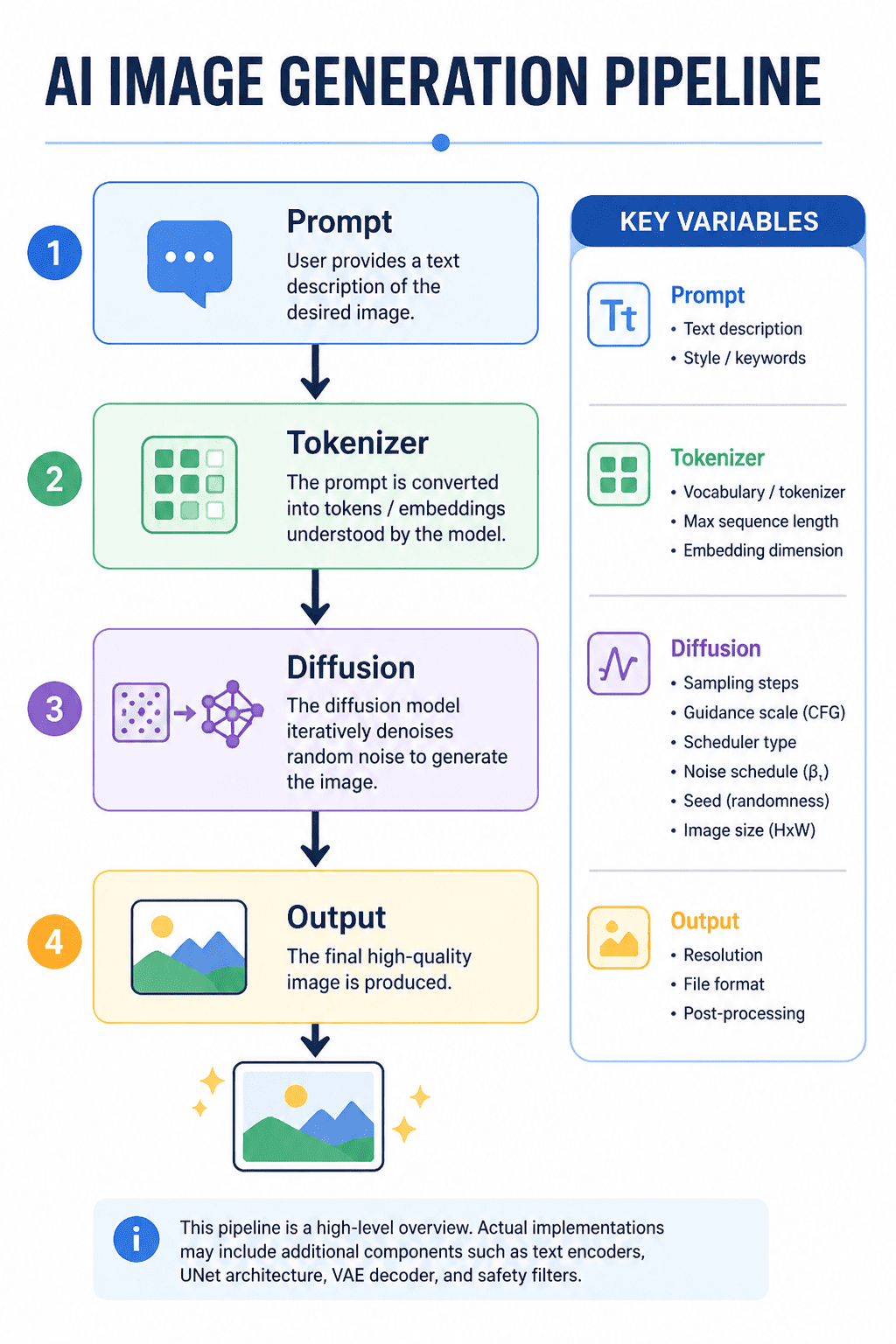
use gpt-image-2. Create a clean technical flowchart titled "AI IMAGE GENERATION PIPELINE". Show labeled boxes connected by arrows: "Prompt", "Tokenizer", "Diffusion", and "Output". Add a small side panel labeled "Key variables". Use a polished educational slide style with crisp lines, readable labels, and a layout that looks presentation-ready. ratio 4:5
GPT Image 2 Cyber Ranger Sprite Sheet
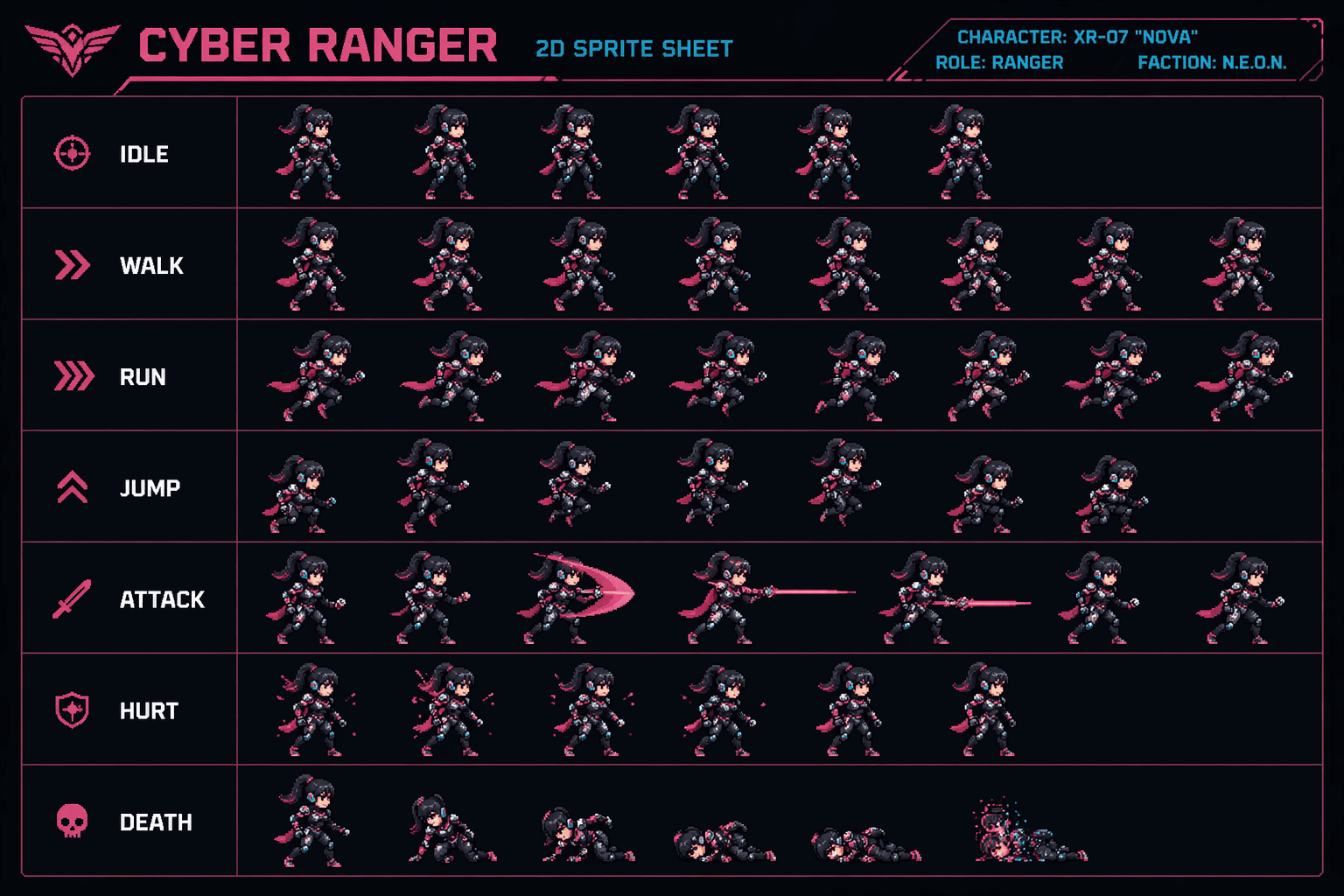
use gpt-image-2. Create a clean production-style 2D sprite sheet for one female cyber ranger character. Arrange action rows labeled "Idle", "Walk", "Run", "Jump", "Attack", "Hurt", and "Death". Keep costume, proportions, and face shape stable across all frames. Use a retro-modern indie game aesthetic and a disciplined grid layout with readable labels. ratio 16:9
GPT Image 2 100 Item RPG Inventory Grid
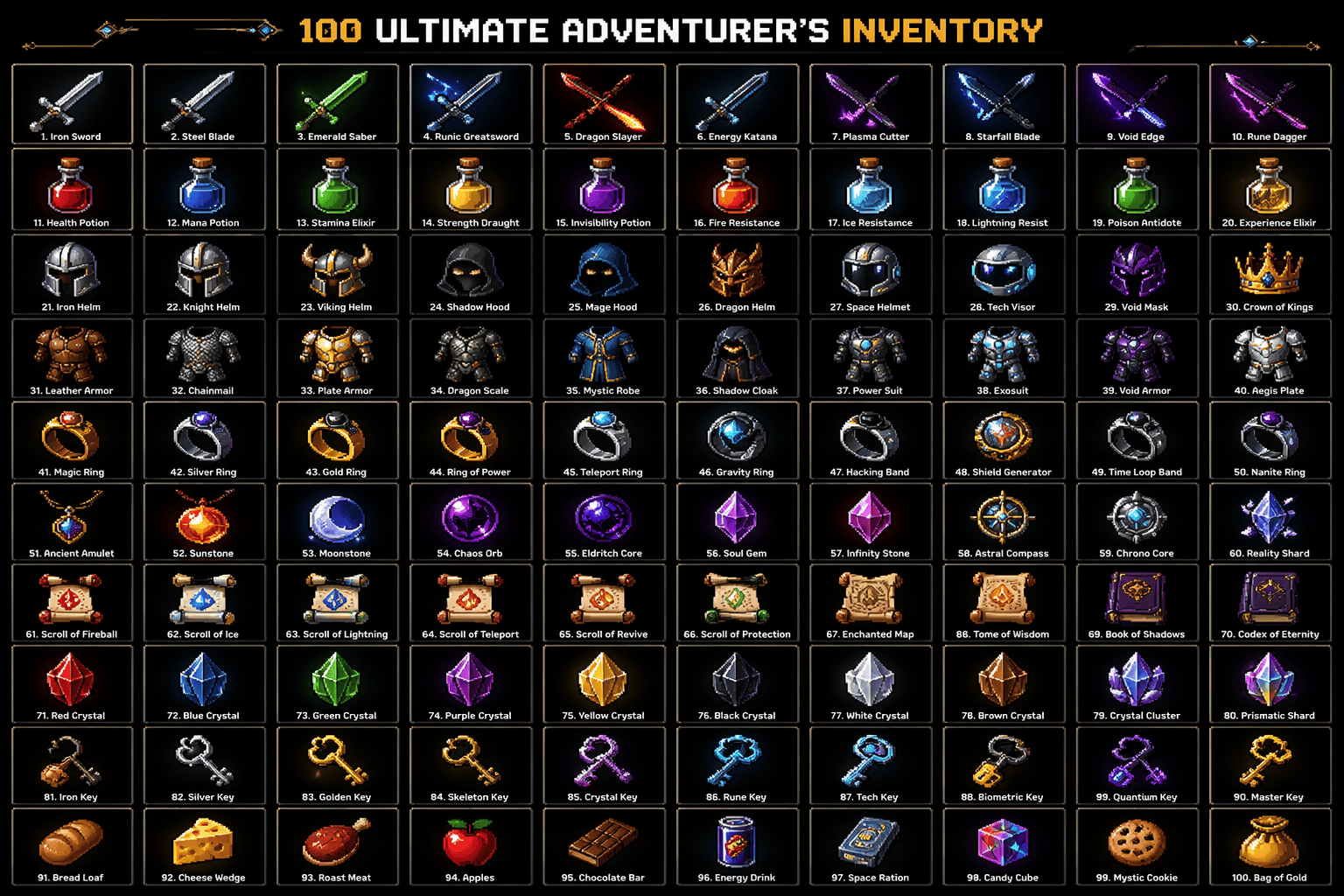
use gpt-image-2. Generate a dense 100-item fantasy and sci-fi inventory grid with clean spacing and tiny readable labels under every item. Include swords, potions, helmets, gadgets, relics, scrolls, snacks, crystals, and keys. Each icon must be visually distinct. Use a crisp collectible pixel-art-meets-modern aesthetic and make the grid feel like a one-shot technical flex people would repost. ratio 16:9
GPT Image 2 Fantasy Trading Card Sheet
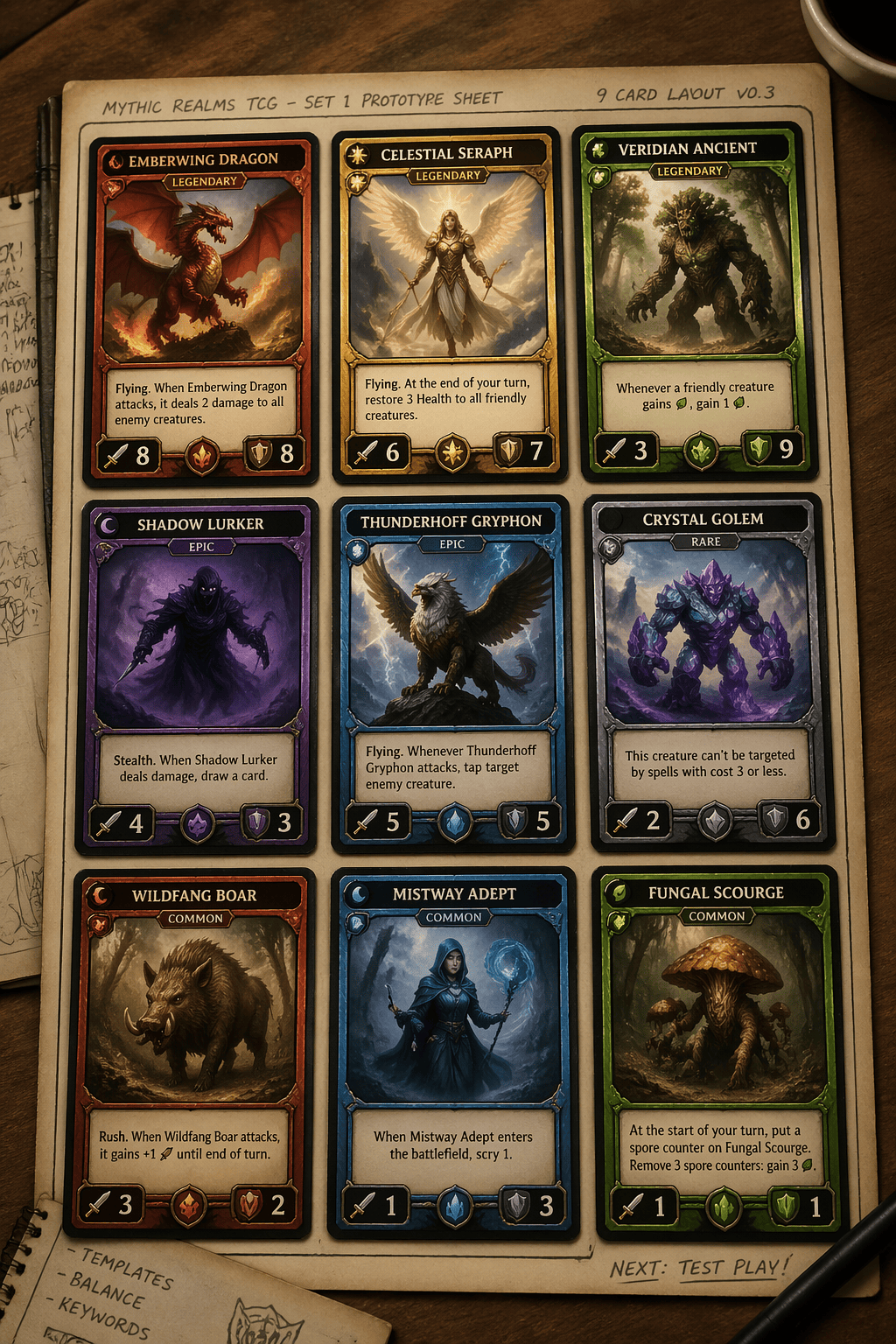
use gpt-image-2. Create a 3x3 fantasy trading card presentation sheet laid out on a tabletop. Each card should have a readable title, a rarity badge, attack and defense stats, and distinct creature art. Use gold foil-style frames for legendary cards and keep the card system consistent. Make the sheet feel like a real tabletop card-game prototype. ratio 4:5
GPT Image 2 Chocolate Commercial Storyboard
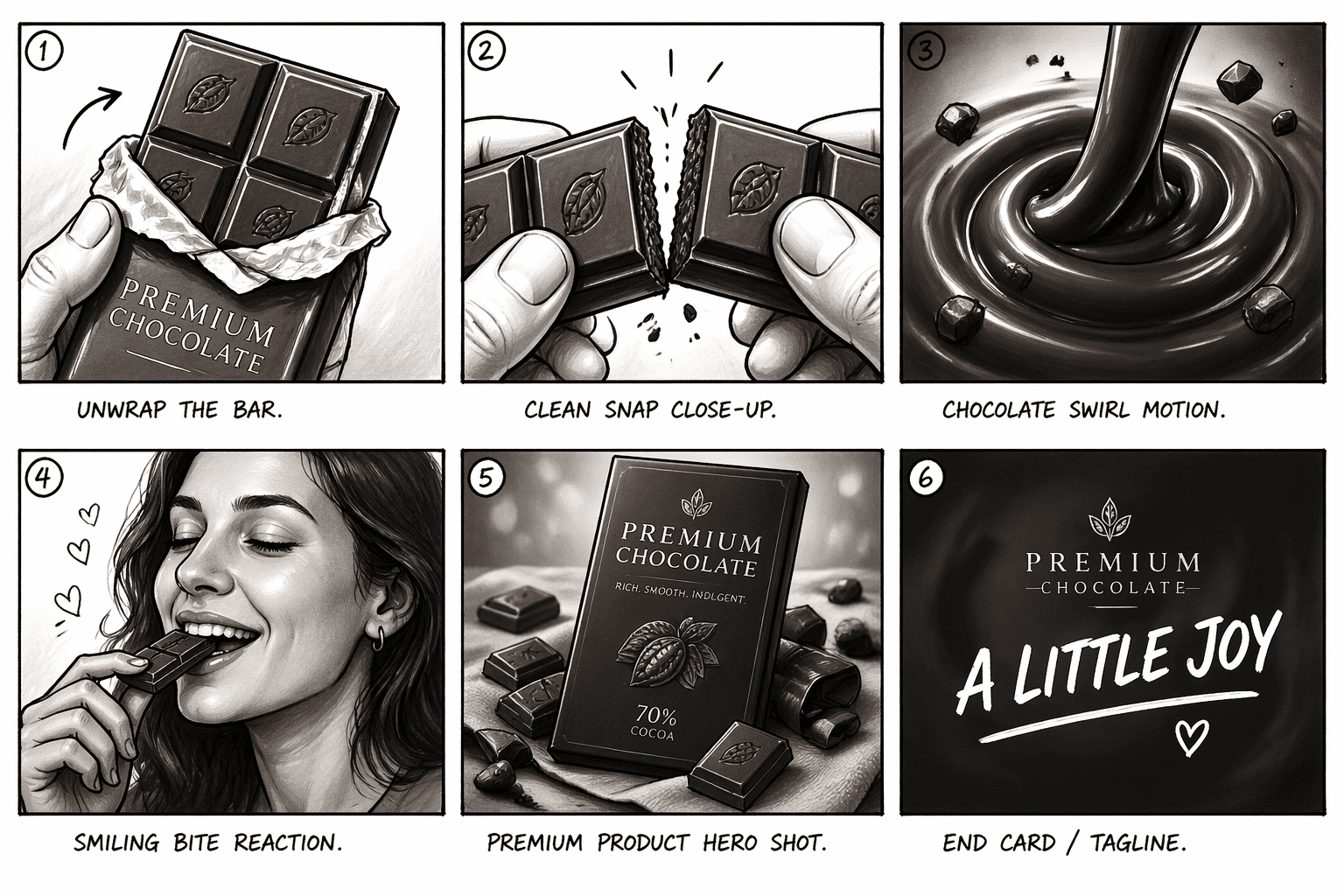
use gpt-image-2. Create a six-frame storyboard sheet for a chocolate advertisement. Sequence: unwrap the bar, clean snap close-up, chocolate swirl motion, smiling bite reaction, premium product hero shot, and final end card with the tagline "A LITTLE JOY". Use black marker storyboard lines mixed with refined grayscale shading and short shot captions under each frame. ratio 16:9
GPT Image 2 Startup Launch Day Comic Strip
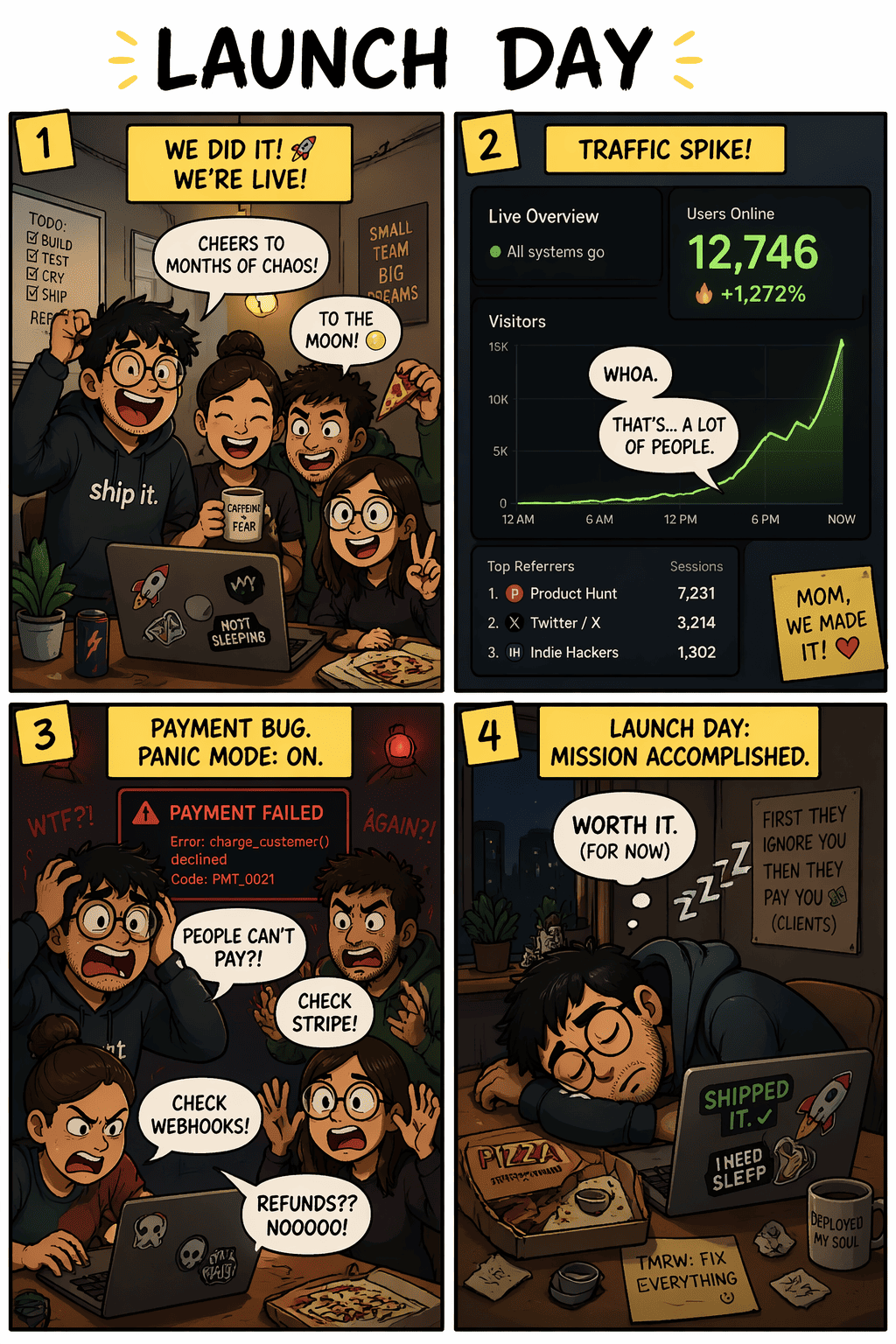
use gpt-image-2. Create a four-panel comic strip titled "LAUNCH DAY". Panel 1: tiny team celebrating in a cramped room. Panel 2: traffic spike dashboard. Panel 3: payment bug panic. Panel 4: exhausted founder sleeping beside a laptop and pizza box. Use expressive characters, readable speech bubbles, startup humor, and meme-worthy pacing. ratio 4:5
GPT Image 2 Beauty Brand Universe Sheet
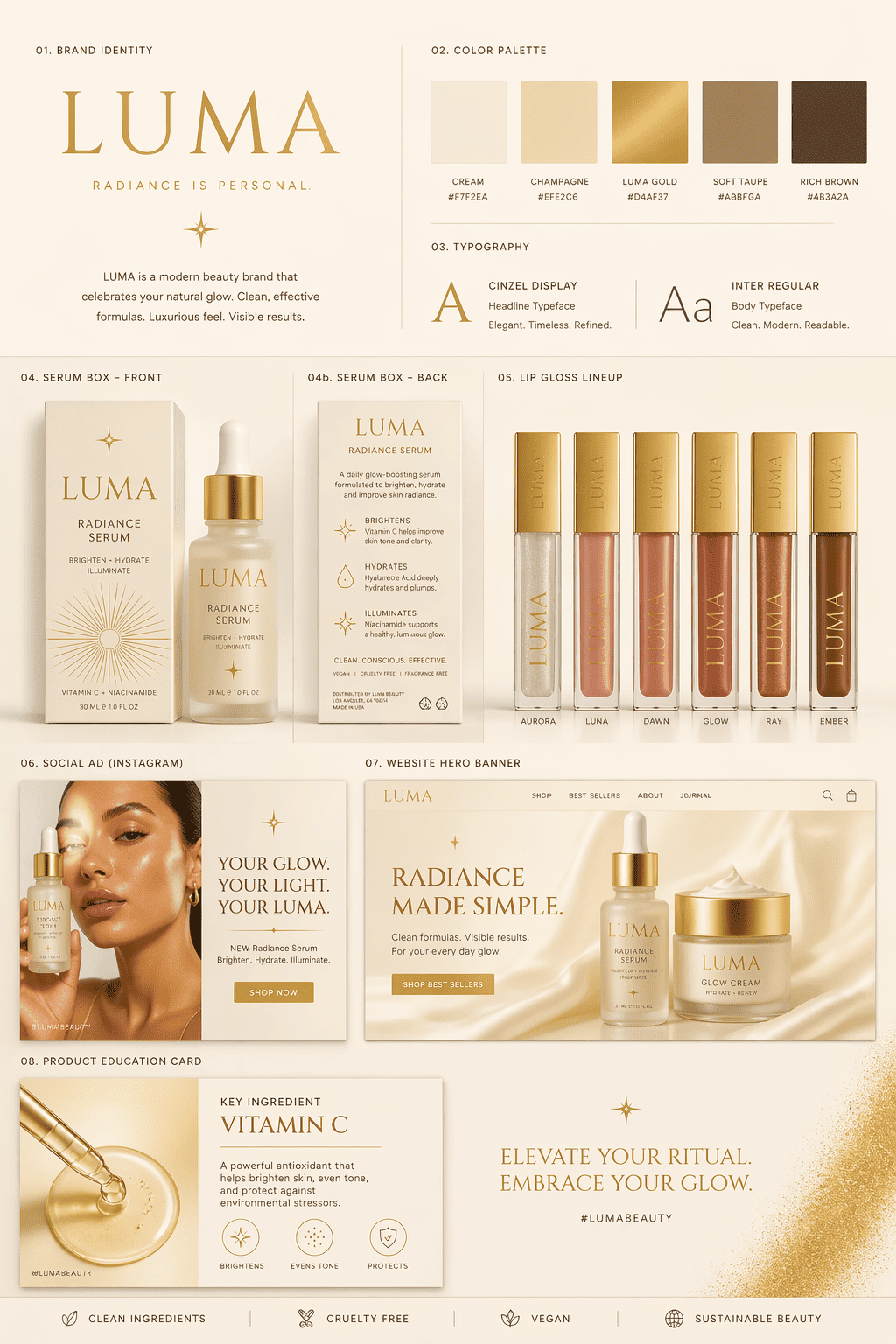
use gpt-image-2. Create a polished brand system sheet for a fictional beauty brand called "LUMA". Include serum box front and back, lip gloss lineup, influencer-style social ad, website hero banner, and one product education card. Use a unified cream-and-gold visual system, clean asset labels, and premium beauty-brand typography. Make it feel like a mini campaign deck in one image. ratio 4:5
GPT Image 2 Fake Startup Launch Asset Bundle
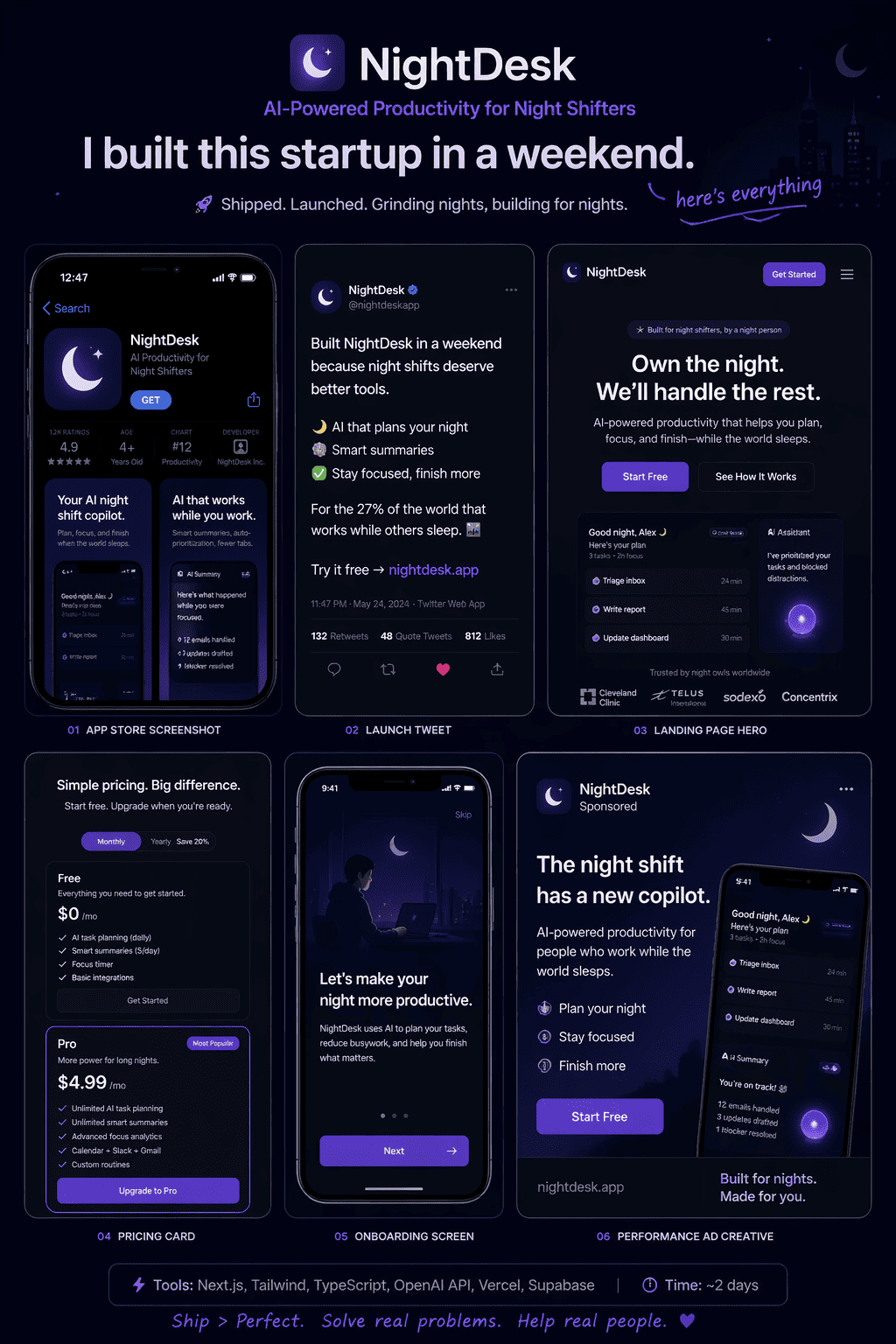
use gpt-image-2. Create a content bundle board for a fictional startup called "NightDesk", an AI-powered night-shift productivity app. In one image show: app store screenshot, launch tweet, landing page hero, pricing card, onboarding screen, and one performance ad creative. Add tiny readable labels under each asset and keep the entire visual system consistent in typography, color, and tone. Make it feel like a viral "I built this startup in a weekend" post asset sheet. ratio 4:5
How to Use GPT Image 2 Prompts on Mew Design
You don’t need to start from scratch — copy a prompt, adjust a few details, and generate results that are ready for sharing or publishing.
Start with a prompt
Copy any GPT Image 2 prompt from this page or write your own. Pay attention to add “use gpt-image-2” at the beginning, then paste it into Mew Design. This ensures the system uses GPT Image 2 for your request.
Generate your image with GPT Image 2 model
Click generate. You can create a single image, a multi-panel layout, or a full visual series. Just explain your intent clearly — the agent will handle the structure.
Edit and refine
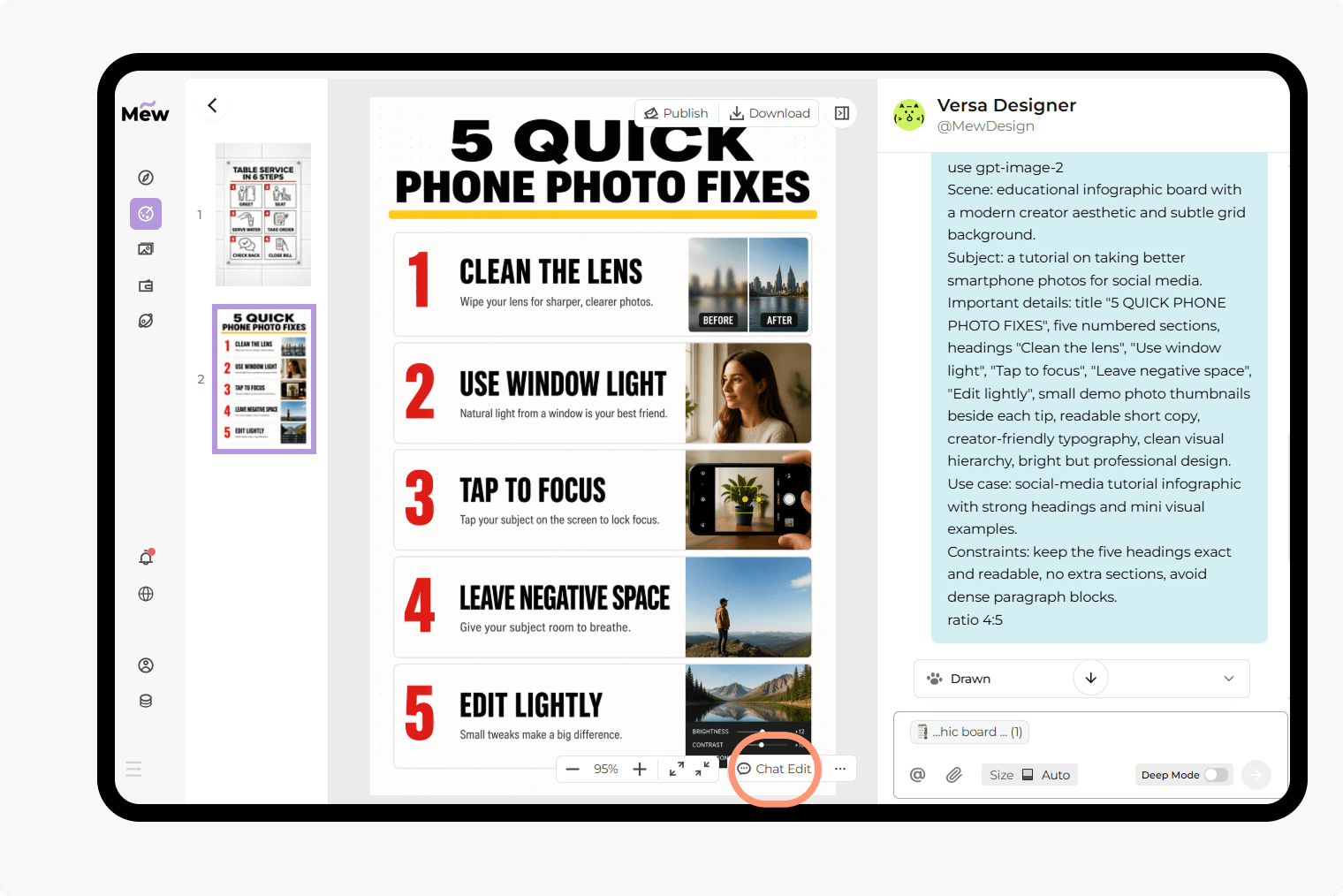
If the first result is not exactly what you want, use Chat Edit to adjust the prompt. You can, fix text content, change layout or style, or refine details step by step.
Export or share
Once your image is ready, download it in high quality. Your output can be used for, social media, presentations, product visuals, and marketing assets.
Why Use Mew Design with GPT Image 2 for AI Image Generation
Accurate text rendering in images
GPT Image 2 is built to generate readable, well-placed text inside images. This makes it ideal for posters, UI mockups, and social content where typography matters.
Built for structured layouts
From infographics to multi-panel scenes, GPT Image 2 can follow layout instructions clearly. You can define sections, labels, and visual hierarchy directly in your prompt.
One prompt, complete visual output
Instead of combining multiple tools, you can generate full assets — including content, layout, and styling — in one step.
AI design agent that adapts to your task
On Mew Design, you don’t need to switch between tools. The agent selects the right model and workflow based on your input.
Easy iteration with Chat Edit
You can refine images through conversation. Adjust text, layout, or style without rewriting the entire prompt.
Works across real use cases
These GPT Image 2 prompts are not just for experiments. You can create social media content, tutorials and guides, product visuals, and brand assets. All ready to use or publish.
FAQs
They are structured text instructions used to generate images with GPT Image 2. These prompts can include layout, text content, style, and composition.
GPT Image 2 is especially strong at generating images with clear text and structured layouts, such as screenshots, infographics, and multi-panel designs.
Yes. You can try GPT Image 2 directly on Mew Design. Just add “use gpt-image-2” at the start of your prompt.
No. The GPT Image 2 templates are ready to use. You can copy, edit a few details, and generate results quickly.
Yes. You can change text, layout, colors, or style based on your needs. GPT Image 2 responds well to detailed instructions.